
Staring at a flashing red light and a frozen LCD screen on your Epson printer can instantly ruin your workday. If your printer suddenly stopped mid-job and displayed Error Code 0x97, you are dealing with one of the most common hardware-related lockups in Epson WorkForce and EcoTank history.
As a printer technician who has troubleshot hundreds of these units on the bench, I can tell you that Error 0x97 is rarely a permanent death sentence. In most cases, it is simply a safety trip triggered by a voltage spike, microscopic ink residue on the printhead pins, or static electricity trapped in the motherboard’s capacitors.
In this comprehensive guide, we will walk through proven, hands-on methods to clear Epson Error Code 0x97 safely, get your printer back online, and prevent it from happening again.
Quick Summary: How to Clear Epson Error 0x97 Immediately
Epson Error Code 0x97 is an internal hardware malfunction error usually caused by a sudden power surge, a dirty printhead contact, or saturated ink pads on the motherboard.
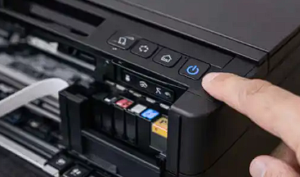
- Fastest Fix (Works 70% of the time): Open the printer cover, unplug ALL cables (power and USB) while the printer is still turned ON, press and hold the Power Button for 60 seconds to drain residual electricity, wait 5 minutes, and plug it back into a direct wall outlet.
Understanding Epson Error Code 0x97
Before jumping into the tools, it helps to understand what is happening inside your machine. When the internal logic board detects abnormal electrical resistance or a temporary block in the mechanical carriage movement, it immediately cuts power to the motors to prevent a catastrophic burnout.
| Error Details | Technical Information |
| Error Code | 0x97 (“Printer Error occurred. Turn off the printer and turn it on again.”) |
| Primary Cause | Mainboard voltage spike, leaking printhead nozzle, or corrupted driver spooler |
| Affected Models | Epson WorkForce (WF-3640, WF-3620, WF-4630, WF-5620) & EcoTank Series |
| Difficulty to Fix | Easy to Medium (No technician required for Method 1–3) |
| Estimated Time | 10 – 15 Minutes |
Method 1: The “Unplugged Power Drain” Reset (The Most Effective Fix)
Because modern printers rely on sensitive microchips, static electricity can build up on the mainboard over time, confusing the firmware into throwing a false 0x97 code. Clearing this static charge requires a specific sequence.
- Turn the printer on using its power button (even if the error message is frozen on the screen).
- Open the main scanner lid or top cartridge cover as if you are about to change the ink.
- While the printer is powered on and the cover is open, unplug the power cord from the back of the printer.
- Unplug the USB data cable or Ethernet cable if you have them connected.
- Press and hold down the physical Power Button for a full 60 seconds. This forces the capacitors on the motherboard to completely discharge their stored electrical energy.
- Close the printer cover and leave the machine sitting completely unplugged for at least 5 minutes.
- Plug the power cord directly into a wall outlet (avoid extension cords or surge protectors for this test). Turn the printer back on.
Method 2: Cleaning the Printhead & Capping Station
If the power drain does not work, the culprit is often microscopic conductive ink residue bridging the connection on the printhead ribbon cable or the parking pads.
- Turn on your Epson printer. When the print carriage begins to move from its parked position, immediately unplug the power cord. This allows you to manually slide the printhead assembly across the metal rail.
- Gently slide the printhead carriage to the center of the printer.
- Fold a clean paper towel into a strip, lightly dampen it with warm distilled water (do not use alcohol or harsh chemicals), and slide it underneath the metal track where the printhead rests.
- Move the printhead carriage back and forth over the damp paper towel a few times to wipe away accumulated ink sludge.
- Inspect the extreme right side of the track (the capping station). Use a cotton swab to clean away any congealed black or color ink pooling in the rubber cap seals.
- Move the carriage back to the far right, plug the printer back in, and power it up.
Method 3: Clearing Corrupted Print Spooler & Reinstalling Official Drivers
Sometimes the printer hardware is completely fine, but Windows 11 or macOS keeps feeding corrupted print job packets to the printer, causing an instant crash loop.
- On your Windows computer, press
Windows Key + R, typeservices.msc, and press Enter. - Scroll down to find Print Spooler, right-click it, and select Stop.
- Press
Windows Key + Ragain, typeC:\Windows\System32\spool\PRINTERS, and delete all temporary files inside that folder. - Go back to Services, right-click Print Spooler, and select Start.
- Go to Control Panel > Devices and Printers, right-click your Epson model, and select Remove Device.
- Visit the Official Epson Support Website, enter your exact model number, and download the latest full software and driver package. Install it fresh.
Method 4: Inspecting or Replacing Hardware Components
If you have tried all software and cleaning methods and Error 0x97 persists immediately upon startup, you may be facing permanent hardware degradation.
- Blown Printhead Fuse: A microscopic power surge can blow the mainboard fuse tied to the printhead. Repair shops typically replace the mainboard or fuse, though for older models, the repair cost ($80–$120) often approaches the price of a new printer.
- Saturated Waste Ink Pads: If your EcoTank has printed hundreds of thousands of pages, the internal counter may be locked, requiring a software reset utility or physical pad replacement.
Prevention Tips: How to Avoid Error 0x97 in the Future
- Never use the wall switch to turn off power: Always press the physical power button on the printer and wait for the lights to stop flashing before cutting household power.
- Run weekly nozzle checks: Keeping the printhead active prevents ink from drying out and causing electrical shorts inside the printhead nozzles.
- Disable auto-firmware updates: If you use third-party compatible inks, turn off automatic firmware updates in your printer settings to prevent compatibility locks.
Frequently Asked Questions (FAQ)
Is my Epson printer dead if it shows error 0x97?
No. In over 70% of cases, Error 0x97 is a temporary glitch caused by static buildup or a minor ink smudge that can be resolved using Method 1 or Method 2.
How much does it cost to repair Epson error 0x97 professionally?
If a technician needs to replace the printhead or mainboard assembly, labor and parts typically range from $80 to $150, depending on your geographic region and printer tier.
Can low ink cause error code 0x97?
No. Low ink levels trigger ink warning messages, not critical hardware lockups like Error 0x97. This error code is strictly electrical or mechanical in nature.